If there is a need to loop in a third party clinician (i.e. a clinician outside your organization) on a patient’s recovery, an external consultant can be assigned with a limited view of the patient's documentation.
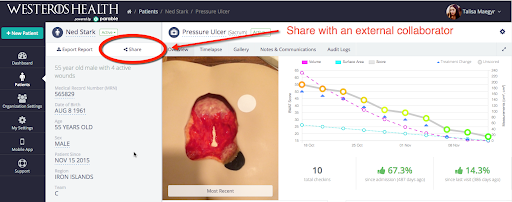
To add an external consultant, navigate to a patient's profile screen and click the Share button.
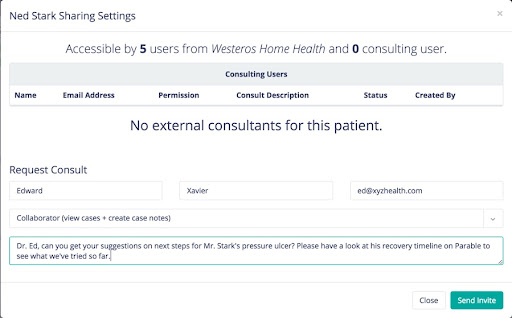
A pop-up will appear displaying the patient’s sharing settings. Input the external consultant's the name, email address, permission level, and a consult message, then click Send Invite.
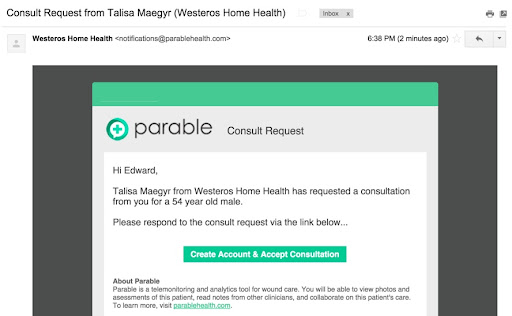
The intended consultant will receive an email similar to the image below, featuring a prompt to create a guest account on Parable and accept the consultation request. The consultant will have limited access to view/collaborate on this patient’s care.
The consultant will also receive notifications, accessible at the top right corner of the screen by clicking the bell icon.
Consultants can also be tagged in entries under the Notes and Communications tab. Tagging consultants in messages will send them an email notification directing them to the case.
Note that consulted providers only need to create a Parable account the first time they are consulted. For future consults, they can log-in to review patients and cases they've been.