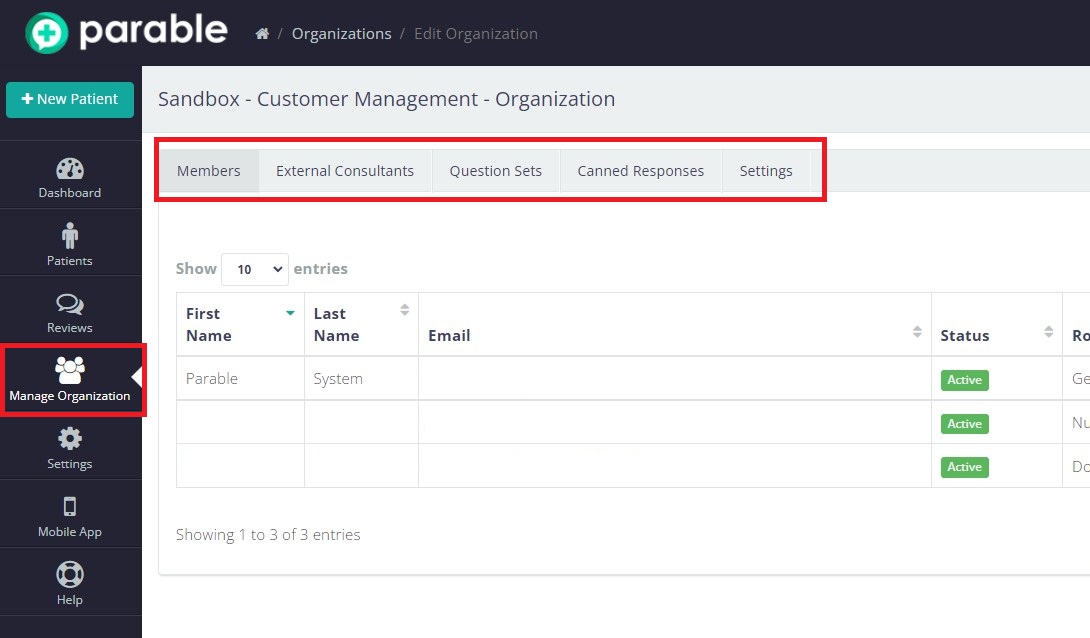
Administrators can access a variety of user and organization management options by clicking "Manage Organization" on the left-hand navigation bar of the Parable Web app. Navigation tabs available at the top of the screen are explained in the following sections.
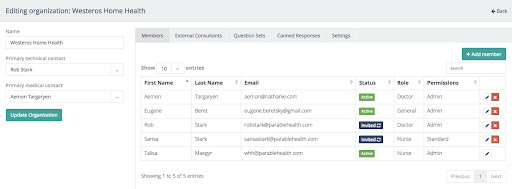
Members
The default tab selected is the Members tab, where members can be added or edited. See the User Management article for more information about adding and editing members. Licenses and permissions can also be managed from this tab.
External Consultants
From the External Consultants tab, administrators can audit which users outside the organization have been given access to collaborate on patient cases (consultants may be given access via the Share feature on individual patients). Administrators can view which patients each consultant has access to by clicking on the blue patient icon and managing access controls on the following pop-up.

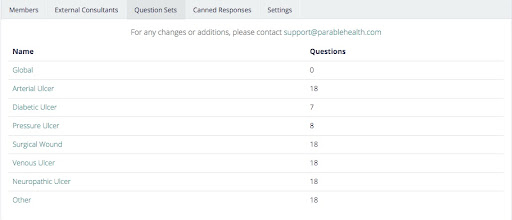
Question Sets
The Question Sets tab is a review of all the clinical protocols customized for the organization. These question sets appear when performing assessments in Parable. This view is read-only at the moment, and change requests can be made by writing to support@parablehealth.com
Canned Responses
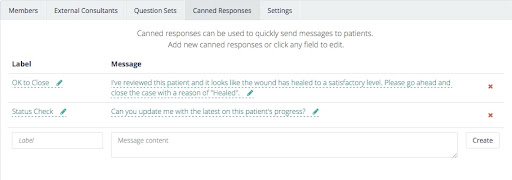
The Canned Responses tab is available to create common predetermined messages and responses. These might be used to ask a common question to another clinician or respond to frequently asked questions.
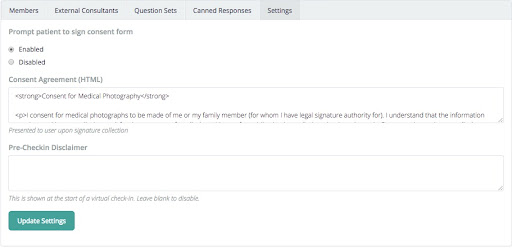
Settings
The (General) Settings tab is not often used outside of initial customizations with the Parable team. However, adjustments to items like the “Patient Consent to Medical Photography” and any pre-assessment disclaimers can be made here.