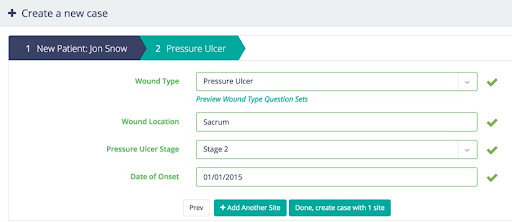
Users can create new patients and add new cases via the Parable web app, or the Parable mobile app.
1. Once logged in, select the +New Case button on the top-left.
2. Create a new patient or select an existing patient
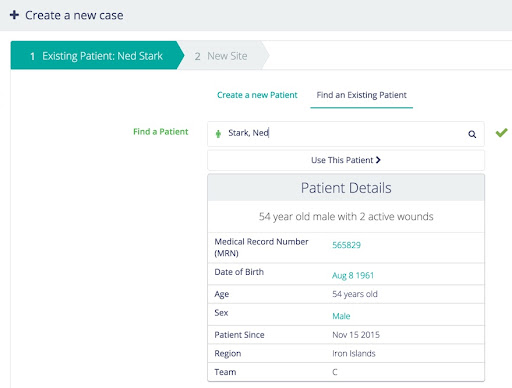
(a) If the patient has been at your organization before, select Find an Existing Patient, search for the patient, and choose Use this Patient
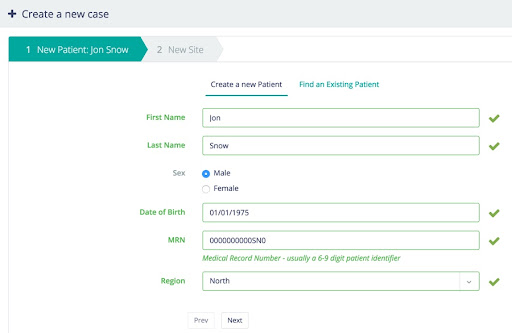
(b) If the patient is new, make sure Create a New Patient is selected, enter patient demographic information, and click Next
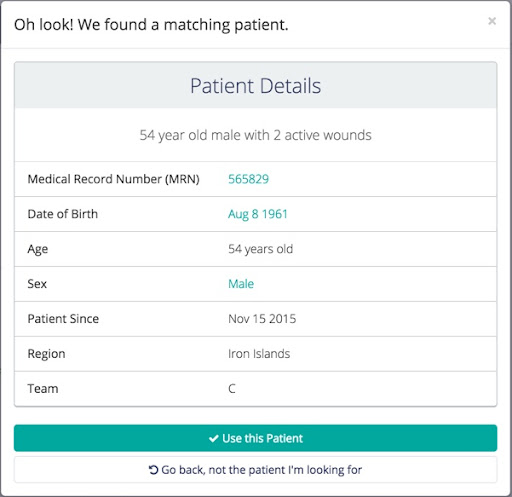
Note: If you happen to enter information for a patient that’s already in the system, Parable will alert you that it found a matching patient and prompt you for what to do (i.e. use the matching patient, or go back).
3. Add wound/lesion site information, click +Add Another Site to add additional wound/lesion sites (if any), and select Done when finished.