Parable licenses are assigned on a per-member basis within an organization. Licenses are active for a fixed duration (e.g. usually one year), and must be renewed. Users with expired licenses will no longer be able to use Parable’s core functionality.
Purchased licenses may be made available to all facets (e.g. region, team, facility, etc), or a specific number of licenses may be allocated to designated facets (meaning those licenses may only be allocated to users at the designated facet).
If your organization is configured to use Parable’s user licensing system, users are assigned either an Imager License or a Reader License, or have No License assigned at all. In addition, licenses may be transferred or revoked as needed.
License Types
Reader
Readers are free and unlimited. All non-assessment features, like viewing and commenting on assessments, exporting reports, using dashboards, and more, do not require a license.
Reader licenses allow users to view data (such as patient records, assessments, and photos), but not perform assessments or capture photos themselves. Readers can still add case notes and perform other authorized administrative / review functions. Reader licenses are typically used by administrators, reviewers, and managers who are not performing assessments directly but operate in an oversight or review capacity (e.g. analyzing assessments performed by other users). Readers will never capture photos or perform clinical assessments in Parable, and will mostly carry out their work using the Parable web app.
Imager
Licenses are only required for Imagers. Imagers have all of the abilities that Readers have, but they can also perform assessments and capture photos (which can only be done on the Parable mobile app). Imager licenses are necessary for clinicians taking photos of wounds and assessing patients in the field or in facilities at the point of care.
No License
If your organization is configured to use Parable’s user licensing system, users without a license or with an expired license may sign into Parable and edit basic profile information, but cannot do anything beyond that. To view and interact with patient and wound/lesion site data, an active Parable license is required.
License Management [not live]
Parable Licenses can only be managed by organization members with Admin permissions.
Assigning Licenses
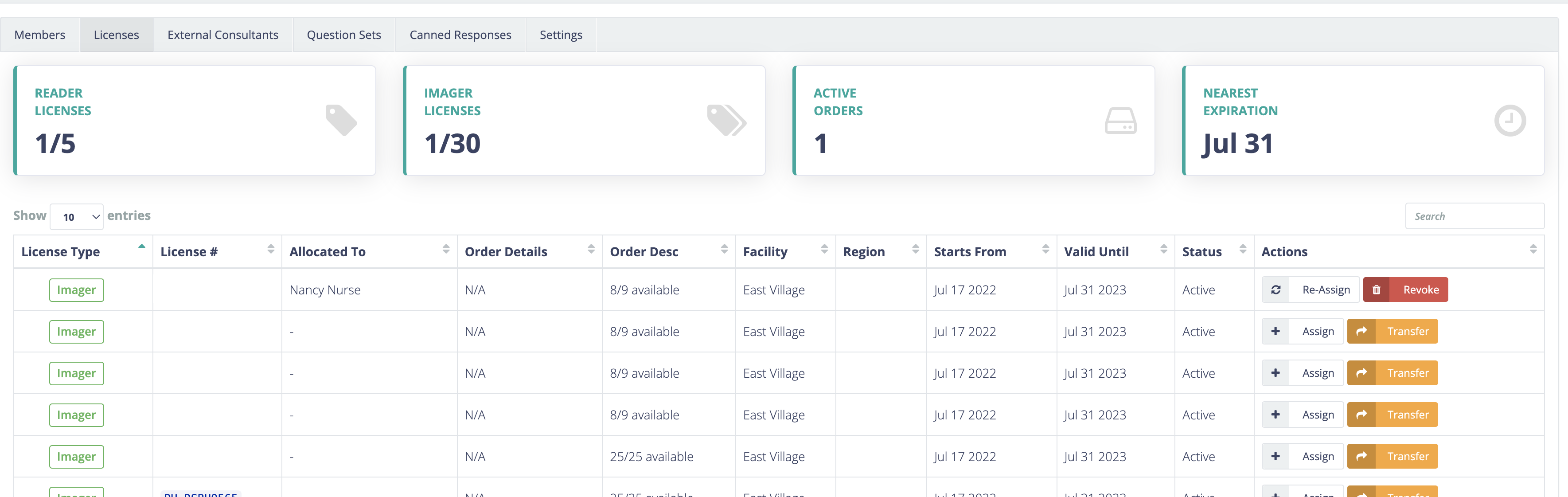
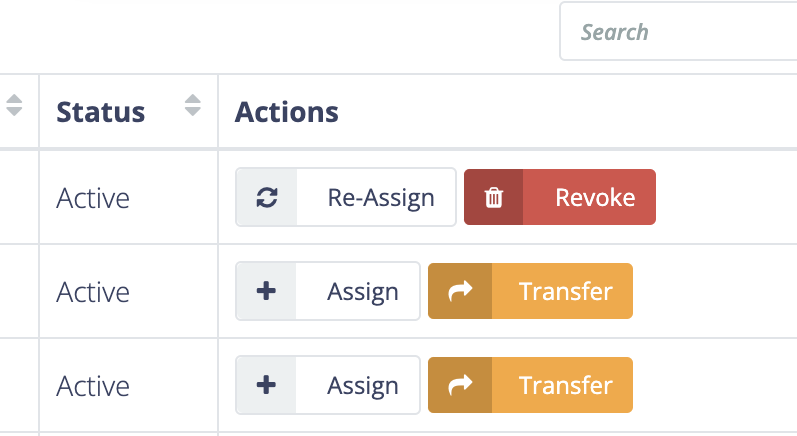
Licenses are initially unassigned. Administrators can assign licenses to users from the Licenses tab of the Manage Organization section of the Parable web app. Available license counts are displayed anywhere licenses can be assigned from.
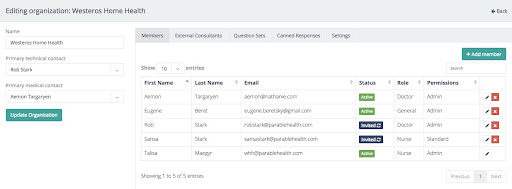
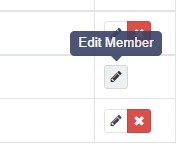
Licenses can also be assigned under the Members tab when an organization member is first added or when an existing member is edited.
Transferring Licenses
Administrators have permission to transfer any individual unassigned license to a different facet (e.g. a different region, team facility, etc) of their organization.
Revoking Licenses
If a license is assigned to a user, Administrators can also revoke it, which adds that license back to the same pool of available licenses it was originally assigned from, at which point it will be immediately available to be assigned to another user (including that same user).
Devices
There are no limits on devices. Users are free to use as many devices as they want to maximize how convenient and ubiquitous Parable can be for them.
Procurement
An organization's telehealth coordinator is recommended as the most appropriate contact for inquiries about Parable hardware and license procurement. Renewals and additional licenses may be purchased from Parable or an appropriate reseller or channel partner.
References
Parable Reference Guide ('Manage Organization Settings')