Permissions refer to the level of access a user (organization member) has within the Parable web app or Parable mobile app. Different permission levels can be assigned on a per-member basis by administrators:
-
- Restricted: user can only view cases
- Mobile: user can view and manage cases with the mobile app only
- Standard: user can view and manage cases on mobile and web
- Clinical Manager: user can view and manage cases on mobile and web, and perform case reviews
- Admin: user can view and manage cases on mobile and web, and manage organizational settings (e.g. edit/add members), and manage licenses
- Restricted: user can only view cases
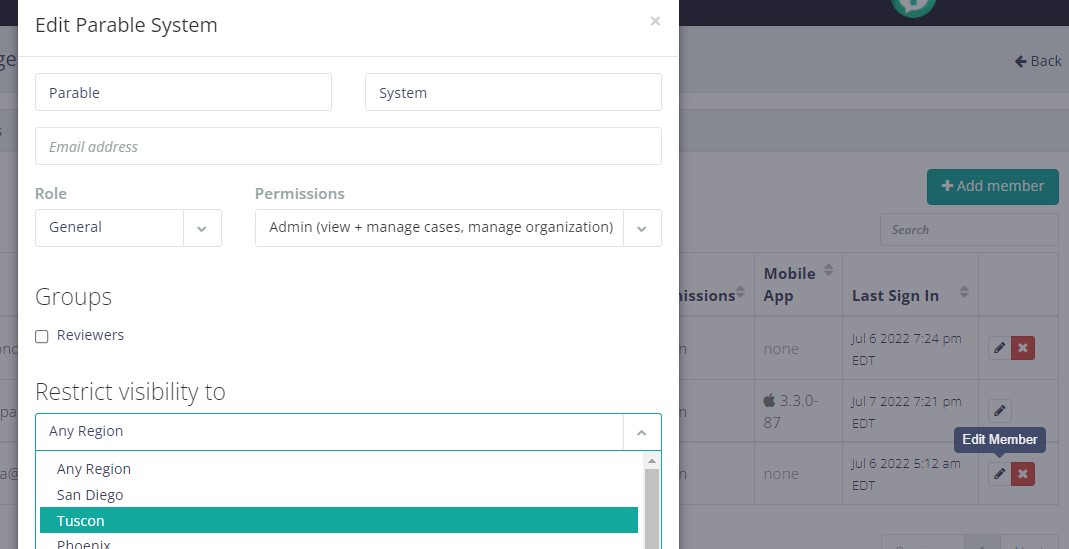
Administrators may also choose to restrict case visibility in order to limit a member's access to cases based on an organization's particular facets (e.g. facility, region, zip code, building, etc) or sub-facets (e.g. floors, teams, units, etc).
Managing Permissions and Visibility Restrictions
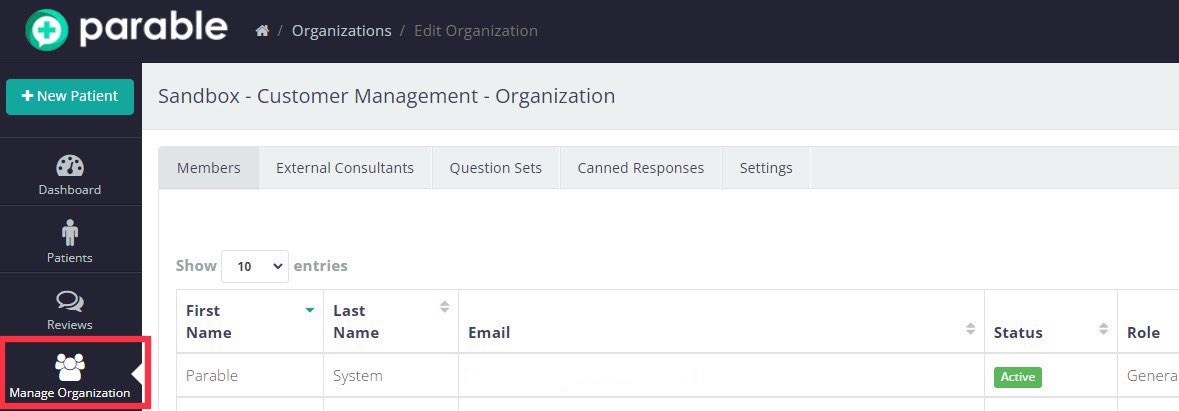
Administrators can access user management by clicking "Manage Organization" on the left-hand navigation bar of the Parable web app. Members are listed on the default Members tab.
Permissions and case visibility are assigned when a new member is added or an existing member is edited. Click the "Edit member" pencil icon on the right side of the member list to bring up an editing prompt. A similar window appears when the +Add Member button on the top right of the Members tab is selected.
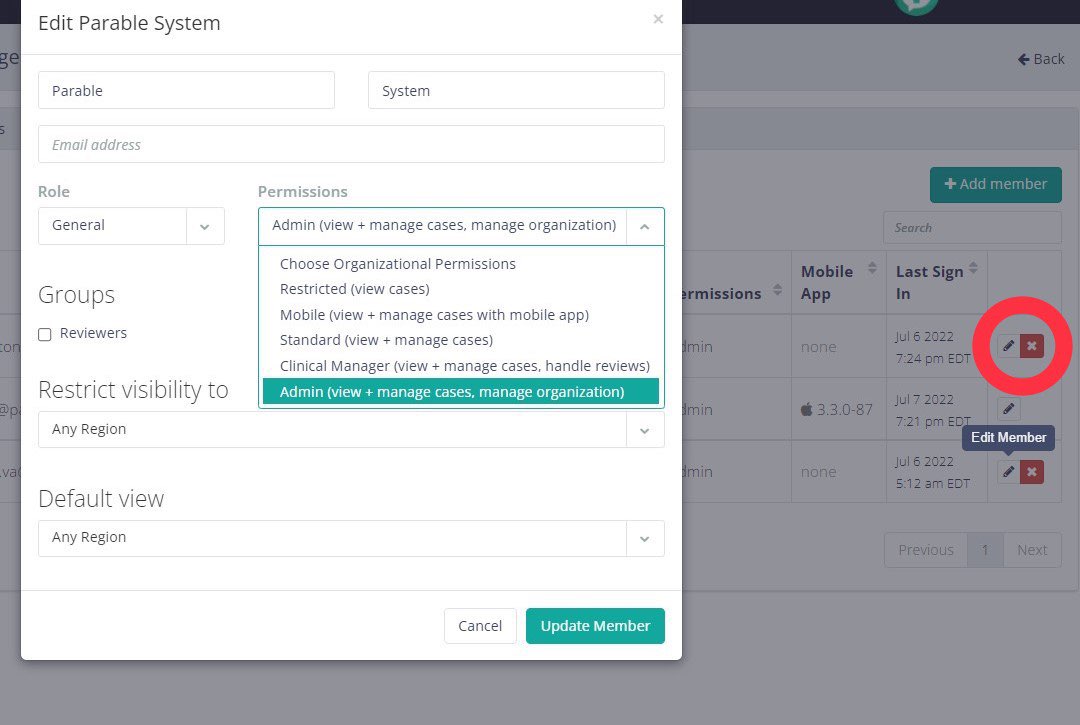
Choose a permission level from the 'Permissions' drop-down menu, and then choose a facet from the 'Restrict visibility to' drop-down menu (select "Any Region" for unlimited case visibility).
Note: A member's 'Role' setting on this page does not affect permissions or case visibility.
Tips
A clinician with an Imager License who performs in-home assessments may be assigned Mobile permissions, as well as have their case visibility restricted to a particular facet such as the zip code or region they work in.
An auditor in a hospital setting with a Reader License may have unlimited case visibility across all facets and be assigned Clinical Manager permissions in order to perform case reviews across different populations.
Troubleshooting
Consider permission level and visibility restrictions when handling issues related to a Parable user's ability to access specific cases.
References
Parable Reference Guide ('Organizational Settings')